

Text Alerts for Client Arrivals That Protect Focus
- karl50784
- Jul 21
- 5 min read
A client opens the door while you are midway through a session. You hear the entrance, wonder who has arrived, and feel your attention split for a moment. The client in front of you notices it. The client who just arrived may not know where to sit or whether you know they are there. Text alerts for client arrivals solve this small but meaningful interruption without turning your space into a front desk.
For a therapist, wellness provider, salon professional, or studio owner, an arrival is not just an administrative event. It can change the tone of the room. A knock on the door, a hallway question, or the habit of checking the lobby between appointments pulls you away from the person who has your care right now.
A quiet notification gives you a better option. Your client checks in, you receive a text or email, and the session continues without a verbal interruption. When you are ready, you can greet the next person with your full attention.
Why client arrivals can feel bigger than they look
Most small appointment-based offices do not need complicated visitor management. They need a dependable way to know someone is present without asking a practitioner to monitor the door.
Without a receptionist, people often create workarounds. They leave the door unlocked and listen for footsteps. They ask clients to text when they arrive. They put a handwritten sign on the wall. They rush out between sessions to see who is waiting. Each solution can work sometimes, but each asks someone to carry a little more uncertainty.
For clients, that uncertainty can be uncomfortable too. Someone arriving for therapy may already feel vulnerable. A new patient may worry that they are in the wrong place. A salon guest may not want to interrupt a service in progress just to announce themselves. No one should have to decide whether to knock on a closed door or sit silently and hope they have been noticed.
The goal is not to make your office feel automated. It is to make arrival feel clear, respectful, and calm.
How text alerts for client arrivals support presence
The most useful arrival system stays in the background. It should not require clients to download an app, remember a code, or navigate a complicated process. It should not require you to learn a large operational platform just to receive a simple message.
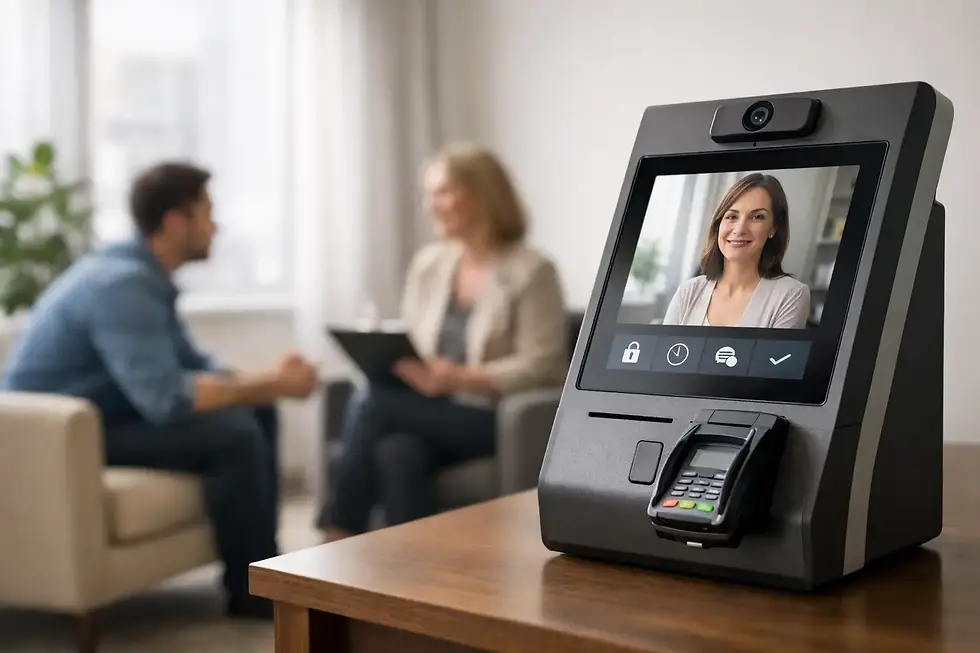
With an iPad check-in placed in your lobby or waiting area, the flow can be simple. A client enters their name on the screen. The practice receives a text or email notification. The practitioner keeps their attention where it belongs until there is a natural pause between appointments.
That notification matters because it replaces guessing with confidence. You know the person has arrived. They know their arrival has been acknowledged. Neither of you needs to create an awkward interruption to make that happen.
This is especially helpful when appointments run close together. If you are finishing a counseling session, providing acupuncture, consulting with a patient, or working with a client under the dryer, you may not be able to step out immediately. A text alert does not demand that you stop. It simply lets you know the next person is waiting safely and expectedly.
The experience should feel professional, not corporate
There is a difference between a polished arrival experience and a transactional one. Small practices are often chosen because they feel personal. Clients value the quiet, the familiarity, and the sense that they are being cared for by a real person rather than processed through a system.
The right check-in process supports that feeling. A clear welcome message on an iPad can tell clients exactly what to do. A notification reaches the right person privately. The waiting area stays calm. When the practitioner comes out, they are not surprised or distracted. They are ready.
Privacy is part of that professionalism. In many practices, clients should not need to announce their name in a shared hallway or knock loudly enough to be heard through a session door. A digital check-in gives them a discreet way to say, “I’m here.”
For healthcare and therapy settings, the details of how arrival information is handled matter. Choose a platform that is designed for client-facing practices and supports HIPAA-compliant workflows where needed. Simple should never mean careless with sensitive information.
A three-step process is usually enough
Arrival notifications work best when they fit the rhythm you already have. There is no need to redesign your day around a system.
First, place a dedicated iPad where clients can easily see it when they enter. The message should be plain and welcoming, not full of instructions. “Welcome. Please check in” is often enough.
Next, direct the notification to the person or people who need it. A solo practitioner may prefer a text message. A small team may use a text, email, or both depending on who is serving clients that day. The best choice depends on how you work. Texts tend to be easier to notice during a busy day, while email may suit offices where someone is already managing a shared inbox.
Then, let the notification do its job quietly. You do not need to respond to every alert in the moment. The purpose is awareness, not another conversation to manage. When your current appointment ends, you can welcome the next client without having lost the thread of the one before.
Purple Couch App is built around this intentionally simple pattern: clients check in on an iPad, and the right person receives a text or email. Setup takes minutes, which matters when you need relief from interruptions, not another project.
What to consider before choosing an arrival alert system
Not every office needs the same setup. A practice with one provider and a single waiting room has different needs from a shared wellness suite with rotating practitioners. Still, a few questions can help you choose well.
Consider where clients enter. If there are multiple entrances or a building lobby, the iPad needs to be placed where it is genuinely useful. Think about connectivity as well. Wi-Fi may be enough for many offices, but cellular support can be valuable in spaces with unreliable internet.
Decide who should receive alerts. If several practitioners share a space, it is worth confirming that each client’s notification reaches the right person. Too many alerts can become background noise; too few create confusion. Keep the notification path clear.
Also consider your client population. For most people, tapping their name on an iPad is familiar and easy. If you serve clients who may need extra accessibility support, make the screen placement, font size, and instructions as comfortable as possible. The system should lower stress, not add a new barrier.
Finally, be honest about the level of complexity you want. Broad visitor systems can include badges, reporting, approvals, and building security features. Those tools may make sense in a large facility. For a small, appointment-driven practice, they can be more than you need. A focused check-in tool is often the better fit when the real problem is simply knowing who has arrived.
Small boundaries make better service possible
Some practitioners worry that a notification will make them feel even more tied to their phone. That is a fair concern. The difference is in the expectation you set for yourself.
An arrival alert is not a request to abandon the person you are with. It is permission not to worry about the lobby. You can glance at the notification when appropriate, finish your current conversation or service thoughtfully, and transition on your own terms.
You can reinforce that boundary with a brief note at check-in: your practitioner has been notified and will be with you shortly. This reassures the waiting client while protecting the privacy and time of the current one. No apology is needed for giving each appointment your full attention.
The quietest improvements are often the ones clients remember most. They may not mention the iPad or the alert. They will remember that they knew what to do when they arrived, that they were not left wondering, and that when you greeted them, you were fully there.


Comments