
Appointment Check-In Software for Calm Offices
A client arrives three minutes early while you are midway through a therapy session, treatment, consultation, or color appointment. They may knock, hover in the hallway, or sit down wondering whether anyone knows they are there. You may hear the door open and feel your attention split, even if you do not leave the room.
Appointment check-in software solves this small but meaningful interruption. It gives arriving clients a clear, private way to announce themselves and lets you know they have arrived without asking you to monitor the lobby, answer a knock, or break the tone of the appointment already in progress.
For small offices without a full-time receptionist, that is not just an administrative convenience. It is a way to protect presence.
The real problem is the arrival moment
Many appointment-based businesses have a carefully considered service experience. A therapist creates a confidential space where a client can speak freely. An acupuncturist keeps a treatment room quiet and restorative. A salon professional gives one person their full attention. A physician or wellness provider needs to stay focused on the patient in the room.
Then someone arrives.
Without a clear check-in process, the client who has just walked in has to guess what to do. They may knock on a closed door, call out from the reception area, send a text to a personal number, or wait with growing uncertainty. Meanwhile, the practitioner is left trying to notice arrivals while giving another person the attention they deserve.
It can seem minor from the outside. Repeated all day, it creates awkward waiting moments, fractured concentration, and a space that feels less settled than you want it to feel.
A front-desk employee can handle that work, but most solo practitioners and small teams do not need or want the cost and management of a full reception operation. They need one dependable signal: your client is here.
What appointment check-in software should do
The best fit for a small practice is not necessarily the system with the longest feature list. Broad visitor-management platforms are often built for corporate offices, busy facilities, security procedures, badge printing, and complicated reporting. Those tools have their place. They can also add more screens, choices, and maintenance than a quiet client-facing office needs.
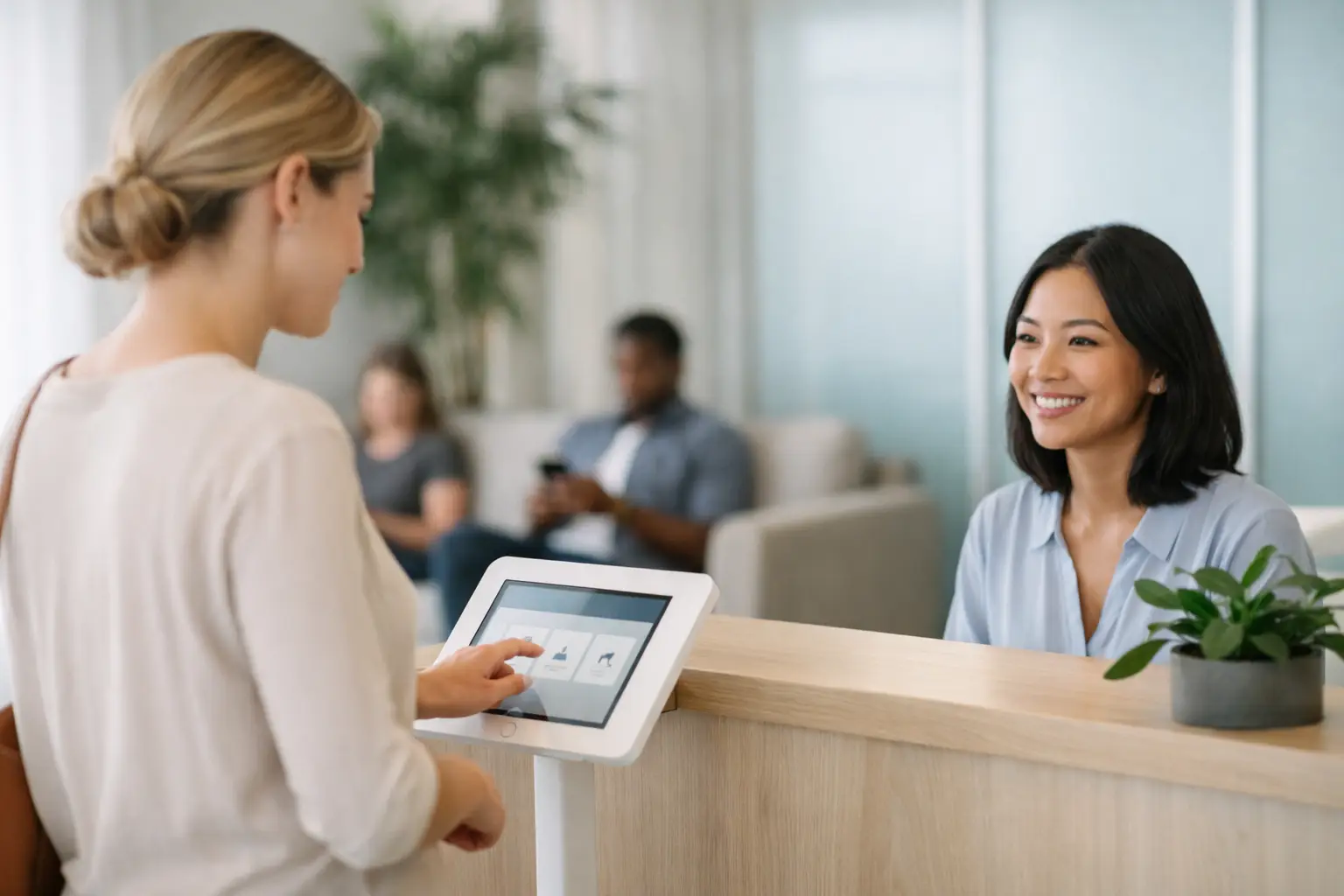
Appointment check-in software for a small office should make the arrival process feel obvious. A client walks in, sees an iPad, enters the information requested, and checks in. The practitioner receives a text or email notification and continues the current appointment without interruption.
That simple workflow supports both people in the moment. The arriving client no longer has to wonder whether they have been noticed. The practitioner no longer has to listen for the door or apologize for stepping away.
A clear experience for clients
Clients should not need instructions from a staff member to check in. The screen should be welcoming, readable, and limited to what is necessary. For many practices, the ideal interaction takes seconds.
This is especially valuable when clients may already feel vulnerable or uncertain. Someone arriving for counseling, a medical appointment, or a first wellness visit should not have to announce themselves in a shared hallway. A quiet check-in gives them a defined next step without making them feel exposed.
A discreet notification for providers
The notification matters as much as the iPad screen. It should reach the person who needs to know, through a text or email, without requiring them to keep another dashboard open or repeatedly check the lobby.
For a solo provider, a text may be the most natural option because it is immediate and familiar. For a small team, email notifications can help direct arrival information to the appropriate person. The right choice depends on how your office communicates and on the privacy practices you already have in place.
The goal is not to invite more notifications into your day. It is to replace one disruptive kind of alert - a knock, a door opening, an anxious call - with a quieter, more predictable one.
How the process protects the tone of your space
A check-in system is often described as a way to improve efficiency. That is true, but it misses the more human benefit.
When clients can check in independently, you are communicating that their arrival has been accounted for. They do not need to chase someone down. They can settle in. The person you are currently serving can remain the center of your attention until their appointment is complete.
That changes the rhythm of a day. You are less likely to rush a closing conversation because you are worried someone is waiting outside. You do not need to leave a client in the middle of a difficult thought to answer a door. You can finish one interaction with care and begin the next one without the feeling that the office has been running ahead of you.
For practices built on trust, calm is part of the service. It is not an extra.
Choosing software that fits a small practice
Before choosing appointment check-in software, start with the real problem you are trying to solve. If your primary concern is knowing when scheduled clients arrive without creating a larger administrative process, simplicity is a feature.
Look for an iPad-based experience that can remain in the lobby or entry area. A dedicated device creates a consistent ritual for clients and avoids asking them to download an app, scan a QR code, or use their own phone. This is helpful for clients with varying comfort levels around technology and for spaces where you want the arrival experience to feel polished rather than improvised.
Setup should also be practical. If a system takes days of configuration, staff training, and workflow redesign, it may be too much for a one- or two-person office. A useful check-in tool should be ready quickly enough that you can focus on your practice rather than on maintaining software.
Privacy deserves the same attention. Healthcare and therapy practices should confirm that any tool they use aligns with their privacy obligations and does not turn a simple arrival notification into unnecessary exposure of client information. HIPAA-compliant options are particularly relevant for covered providers and practices handling protected health information.
Connectivity is another quiet but important detail. Most office iPads will use Wi-Fi, but some spaces have unreliable internet near an entrance or operate in locations where cellular service is the better backup. Think through where the iPad will sit, how it will stay powered, and who will receive notifications when more than one practitioner is working.
Finally, consider the cost in relation to the problem. A receptionist may be essential for a large, high-volume operation. For many smaller appointment-driven offices, a straightforward monthly subscription is a more sensible way to create a professional arrival experience without adding payroll or complexity.
A simple check-in workflow in practice
Purple Couch App is designed around a deliberately small sequence: a client checks in on an iPad, the practitioner receives a text or email, and the session continues uninterrupted. It is built for the offices where a receptionist is not present because the practitioner is the service.
That distinction matters. Your check-in process should support the work you actually do, not make your office feel like a corporate reception desk.
For example, a counselor can keep the waiting area quiet while receiving a discreet arrival message during a session. A massage therapist can know a client is ready without leaving the treatment room. A salon owner working alone can finish a service without making the next guest feel forgotten. In each case, the technology stays in the background while the experience feels more considered.
Questions worth asking before you set it up
Will clients know how to use it?
They should. The strongest systems require very little explanation: arrive, enter the requested information, and wait comfortably. A visible iPad in a clean, intentional setup is usually easier than a sign asking clients to text a number or knock on a private door.
Does it replace scheduling software?
Not necessarily, and it does not need to. Scheduling tools manage appointments, reminders, calendars, and sometimes payments. Check-in software addresses a different moment: the instant a client physically arrives. Some practices need both, while others simply need a better way to handle arrivals.
What if your office has no Wi-Fi?
This depends on the platform and device setup. If connectivity is limited, look for support for a cellular-enabled iPad or a reliable cellular connection. The important thing is that the check-in station can send the notification when a client arrives.
Is an iPad at the door too impersonal?
It can be if the experience is cluttered, cold, or used to replace genuine care. But a simple, thoughtfully placed iPad can be reassuring. It tells clients exactly what to do and confirms that someone will be notified, even when you are giving your full attention to another person.
A calm arrival does not happen by accident. It comes from giving clients a clear welcome and giving yourself permission to stay present where you are needed most.


Comments