

Yoga Studio Check-In Kiosk for Calmer Arrivals
- karl50784
- Jul 27
- 6 min read
A yoga studio check-in kiosk can solve a small moment that carries more weight than it seems. A student arrives a few minutes early, opens the door quietly, and looks around for someone to acknowledge them. Meanwhile, an instructor may be setting up the room, speaking with a student after the previous class, or taking a needed breath before teaching.
No one has done anything wrong. But uncertainty at the door can change the tone of an arrival. The student may wonder whether they should interrupt. The instructor may feel pulled away before class has even begun. In a space built for focus, breath, and welcome, those awkward waiting moments add up.
Why arrivals shape the studio experience
A yoga practice often begins before the first pose. It begins when someone enters the studio and senses whether they know where to go, whether they are expected, and whether there is room for them. That feeling matters for a first-time student who is already nervous, as well as for the regular who simply wants to settle in without creating extra work for anyone.
For small studios, the front desk is rarely staffed every hour of the day. Owners teach. Instructors handle transitions between classes. A studio manager may be helping a retail customer, cleaning props, or working behind the scenes. Asking staff to monitor every arrival can turn a calm class transition into a series of tiny interruptions.
A simple check-in process gives students a clear next step without making the studio feel formal or impersonal. The goal is not to add more technology to the room. It is to remove a point of uncertainty.
What a yoga studio check-in kiosk should do
The best kiosk for a yoga studio is not the one with the longest feature list. It is the one that feels natural in the space and takes almost no attention to maintain.
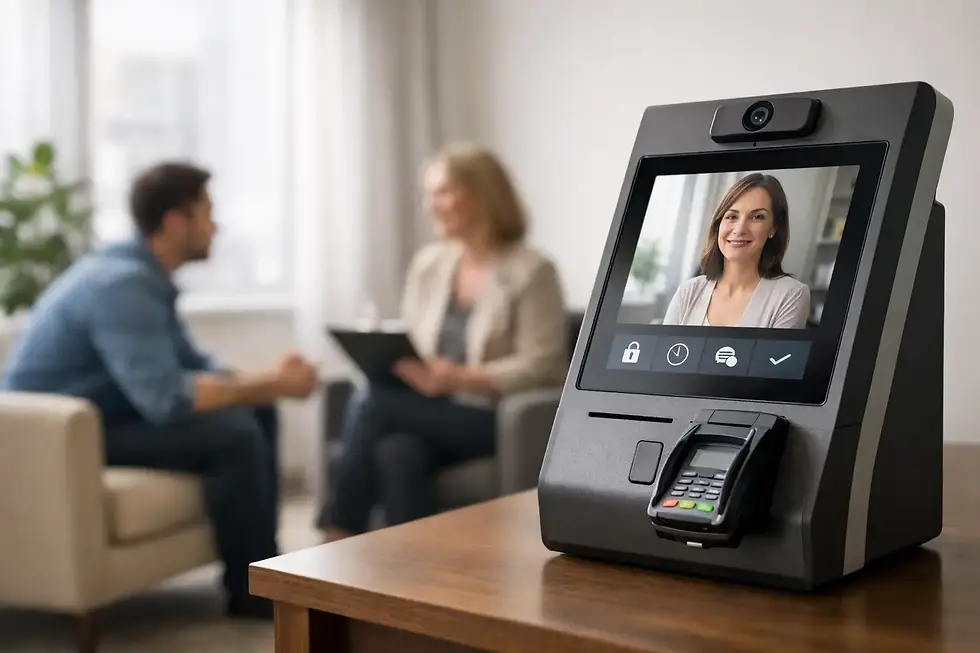
At its simplest, a student walks up to an iPad, enters their name or taps a clear check-in prompt, and the appropriate instructor or studio team member receives a text or email. The student knows they have arrived. The instructor knows who is waiting or ready for class. No one needs to call into the studio room, knock on a closed door, or leave a conversation halfway through.
That simple exchange protects both sides of the experience. Students are not left wondering if they have been noticed, and teachers do not have to divide their attention between the people already in their care and the next person walking in.
A check-in kiosk works especially well for studios that offer private sessions, teacher training, workshops, massage, acupuncture, or other appointment-based services alongside group classes. In those settings, a client may arrive while another person is in a private conversation or treatment. A quiet digital check-in gives the arriving person a respectful way to announce themselves without overhearing or interrupting anything personal.
Keep the screen simple and welcoming
A kiosk should be easy enough to use without instructions. Large, readable text, a clear check-in button, and a short confirmation message are usually enough. If a student has to create an account, scan multiple codes, or sort through a crowded menu at the door, the system has introduced the very friction it was meant to remove.
The screen itself should also feel at home in your studio. A thoughtfully placed iPad stand near the entrance can look intentional rather than corporate. Keep the area tidy, add a small sign if needed, and make sure students can approach it without blocking the flow of people arriving for class.
Let notifications support presence, not distract from it
The notification is the practical heart of the system. A teacher or studio owner can receive a discreet text or email that lets them know someone has checked in. They can respond when the moment is appropriate, rather than being forced into an immediate interruption.
This distinction matters. A check-in kiosk should not become another noisy dashboard demanding constant attention. It should provide one useful signal: your student or client is here.
For a class instructor, that may mean seeing arrivals before opening the studio door. For a practitioner offering one-on-one services, it may mean knowing a client is safely in the waiting area while they finish their current appointment. The information is helpful, but the person in front of you still receives your full attention.
When a kiosk makes sense for a yoga studio
A yoga studio check-in kiosk is particularly useful when arrivals are not always visible from the practice space. Many studios have a separate entry, a hallway, a shared building lobby, or a front area that feels empty when no employee is stationed there. It can also help when class schedules overlap and staff are moving between rooms.
It may be less necessary in a very small studio where the instructor is always at the entrance and personally greets every student. Even then, consider what happens when a private session runs long, a teacher is adjusting the room, or the studio owner steps away for five minutes. The need is not always about volume. It is about protecting continuity when one person cannot be in two places at once.
A kiosk is also not a replacement for hospitality. It handles the arrival signal so your team can offer a warmer welcome at the right moment. Students still notice the friendly greeting, the prepared room, and the feeling that someone is ready for them. The difference is that no one had to scramble to make that happen.
Set it up around your actual flow
Before placing an iPad at the door, walk through a typical arrival from a student's perspective. Where do they park? Which entrance do they use? Can they immediately tell where to wait? Does the check-in screen sit before or after the shoe area? A good location answers the next question naturally.
Think about who should receive the notification for each type of visit. A group class may notify the instructor or manager on duty. A private yoga session may notify the specific teacher. If several people share the same space, decide in advance who owns each arrival so notifications remain useful rather than confusing.
Then test the language on the screen. “Welcome. Please check in when you arrive” is often all that is needed. For a studio with locked doors or limited-entry hours, you might add a brief note about where to wait. Keep it reassuring and specific. Students should never have to guess whether they are in the right place.
Purple Couch App is designed for this kind of quiet, iPad-based arrival workflow. A student checks in, the right person receives a text or email, and the studio can continue without a front-desk interruption. For small, appointment-driven spaces, the setup can be completed quickly without turning the arrival process into another administrative project.
A few practical details worth considering
Reliable connectivity matters, especially if your studio is in a shared building where Wi-Fi can be inconsistent. Choose a setup that can support cellular service if needed, or test your Wi-Fi from the exact spot where the iPad will live. A kiosk that only works sometimes creates more uncertainty than it removes.
Privacy matters too, even if your studio is not handling medical information. Avoid placing a visible list of expected students on the screen. Let each person check in privately, and use notifications that share only what the receiving instructor needs to know. This is especially thoughtful when your space hosts private services, recovery programs, or classes for close-knit communities.
Finally, plan for the human backup. If the iPad battery runs low or a student is unfamiliar with the process, staff should know the simple alternative: greet them, confirm their arrival, and carry on. Technology should make the day easier, not make people feel stuck when something unexpected happens.
Questions studio owners often ask
Will students actually use a check-in kiosk?
Most will, if the experience is obvious and quick. Students are already used to simple self-service moments in many parts of their day. What they resist is confusion. A visible iPad, a clear prompt, and a short confirmation keep the interaction comfortable for first-timers and regulars alike.
Does a kiosk make a yoga studio feel less personal?
Not when it is used to protect personal attention. The kiosk should not replace a welcome; it should prevent the missed welcome that happens when no one realizes a student has arrived. Used well, it gives your team more space to be present when they do connect.
What if we already use booking software?
Booking software answers who is scheduled. A check-in kiosk answers who is physically here now. Those are different moments. If your booking platform does not reliably alert the right person when a student walks in, a dedicated arrival tool can fill that gap without changing the rest of your scheduling process.
The most calming studios do not rely on someone being constantly on alert. They create small, considerate systems that let teachers teach, students arrive with confidence, and the room hold the quiet attention people came for.


Comments