

Visitor Software for Therapists That Protects Focus
- karl50784
- Aug 9
- 6 min read
A client arrives five minutes early while you are in the middle of a difficult session. They hesitate in the hallway, knock softly, or sit wondering whether they are in the right place. You hear the door. The person in front of you hears it too. In a practice built on privacy and presence, that small moment can change the tone of the room.
Visitor software for therapists is not really about managing visitors. It is about giving arriving clients a clear next step without asking you to leave the session you are already holding. The right system makes the arrival feel calm and acknowledged, while protecting your attention for the person in your care.
Why client arrivals can feel bigger than they look
Most therapy practices do not need a full front desk. Many are intentionally small: one practitioner, a few rooms, a shared suite, or a small team rotating through appointments. That simplicity can be part of what clients appreciate. It can also leave one recurring gap when the next person arrives.
Without a receptionist, clients often have to guess what to do. Should they knock? Text you? Wait outside? Open a door that may be closed for privacy? Even a confident client can feel uncertain in an unfamiliar building, especially when they are arriving for therapy, counseling, or another personal service.
For the practitioner, the interruption is rarely just a few seconds. You may need to pause a client mid-thought, excuse yourself, glance at your phone, or wonder whether someone has been waiting longer than they should. Then there is the subtle work of returning your focus to the conversation. It is a small administrative task with a human cost.
A client check-in process does not need to make your office feel corporate. In fact, it should do the opposite. It should make the space feel considered: someone expected you, someone knows you are here, and you do not need to interrupt anyone to be acknowledged.
What visitor software for therapists should actually do
Broad visitor-management platforms are often designed for busy corporate lobbies, schools, or large medical facilities. They may offer badges, host directories, identity verification, package logs, security workflows, and detailed reporting. Those features serve a purpose in the right setting. For a private therapy office, they can be more system than you need.
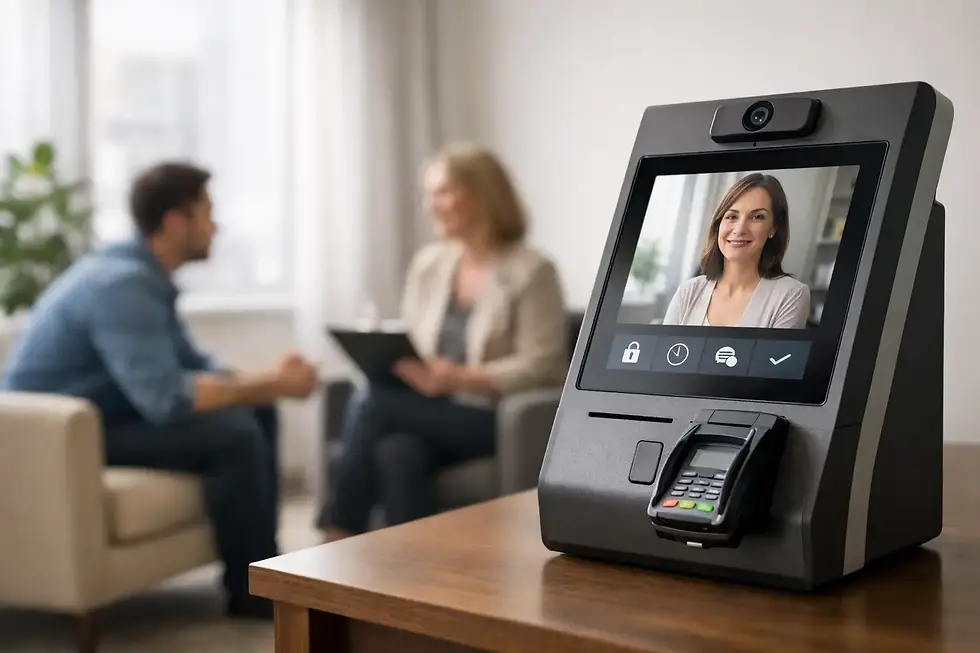
Visitor software for therapists should solve one clear problem well. A client arrives, checks in privately on an iPad, and you receive a discreet text or email notification. You can finish the sentence you are speaking, complete the session at the right pace, and greet the next client when you are ready.
That is the entire rhythm. The client does not need to download an app, create an account, or navigate a complicated kiosk. You do not need to monitor a dashboard or assign someone to watch the lobby. The technology stays in the background, where it belongs.
A simple arrival process protects privacy
Privacy begins before the session starts. A client standing at a door deciding whether to knock may worry about being overheard or interrupting another appointment. A clear check-in screen gives them a quiet, self-directed option.
The wording matters here. A warm prompt such as “Welcome, please check in” is more reassuring than a screen that feels like security intake. The goal is not to collect unnecessary details. It is to confirm presence and let the practitioner know someone has arrived.
For practices handling protected health information, the system itself should also be appropriate for the setting. HIPAA compliance is not an optional extra when client names and arrival information are involved. Ask how information is handled, what appears in notifications, and whether the software is designed for healthcare privacy rather than adapted to it later.
Notifications should inform, not interrupt
There is a difference between being notified and being pulled away. A thoughtful check-in tool lets you choose text or email alerts so you know a client has arrived without needing to repeatedly look toward the door.
That notification does not require an immediate response. It gives you awareness. In many practices, that is enough to remove the mental loop of wondering whether the next appointment has arrived or whether someone is waiting awkwardly outside.
If you work with a small team, notifications can also go to the appropriate person. The point is not to create another layer of coordination. It is to make arrivals visible without making them disruptive.
The right fit is intentionally small
When evaluating check-in software, it helps to start with the moment you want to improve rather than a feature checklist. Do clients regularly seem unsure where to wait? Do knocks or texts break the flow of sessions? Are you avoiding a front-desk hire because the cost and complexity do not make sense for your practice?
If those are the issues, look for a tool that is quick to set up and easy to leave in place. An iPad-based check-in station is often enough. It gives clients a familiar interface and creates a clear arrival point without adding hardware, paperwork, or a new routine for every appointment.
Purple Couch App, for example, is built around this deliberately narrow workflow: clients check in on an iPad, the practitioner receives a text or email, and the session can continue without a verbal interruption. It is a useful distinction for therapists who want a professional arrival experience but do not need an enterprise visitor system.
There are trade-offs. A simple check-in platform will not replace an electronic health record, scheduling software, or a staffed front desk. If your office has a large volume of walk-ins, multiple entrances, complex visitor rules, or security screening needs, a broader system may be appropriate. But for an appointment-based therapy practice, fewer moving parts can be a real advantage.
How to introduce check-in without making it feel clinical
The best check-in experience feels natural before clients ever touch the screen. Place the iPad where people can see it as they enter, with a simple sign or message that explains what to do. Avoid hiding it behind furniture or positioning it so clients have to wonder whether it is meant for them.
Give current clients a brief heads-up before you begin using it. A simple note works: “When you arrive, please check in on the iPad in the waiting area. I’ll be notified that you’re here.” That is usually all the explanation needed.
For new clients, include the same instruction in your appointment reminder or welcome information. This is especially helpful in shared office buildings, where clients may already be managing parking, elevators, and unfamiliar hallways. A small bit of clarity can lower the stress of arrival.
Your physical space still matters. Check-in software cannot compensate for a confusing entrance, poor signage, or nowhere comfortable to wait. Think of the iPad as one part of the atmosphere you are creating. A visible check-in point, clear office name, and calm waiting area tell clients that their arrival has been anticipated.
Questions therapists often have
Will clients know how to use it?
Most will. An iPad is familiar to many people, and the process should require only a few simple taps. Still, accessibility is worth considering. Keep instructions large and plain, avoid unnecessary screens, and have an alternative available for a client who needs assistance.
What if the office Wi-Fi is unreliable?
Check this before committing to a system. A check-in platform should be practical for the way your office operates, whether that means reliable Wi-Fi or cellular connectivity on the device. The test is simple: can clients check in consistently at the exact spot where the iPad will sit?
Does this make the office feel less personal?
Not when it is used with care. Clients are not asking for a conversation with a screen. They are asking for confidence that they have arrived in the right place and will not be forgotten. A simple check-in can feel more personal than leaving someone uncertain at a closed door.
How much setup should it require?
For a small practice, setup should take minutes, not a project plan. You should be able to choose your notification preference, place the iPad, test a check-in, and get back to your work. If a platform requires ongoing administration to handle a straightforward arrival, it may be solving problems your practice does not have.
A calmer arrival does not require a larger operation. It requires a clear signal to clients that they are expected, and a quiet way for you to know they are there. When that moment is handled well, the waiting room feels less uncertain, the session room stays more protected, and your attention remains where it is most needed.


Comments