

Therapy Office Check-In Kiosk That Protects Presence
- karl50784
- Jul 19
- 6 min read
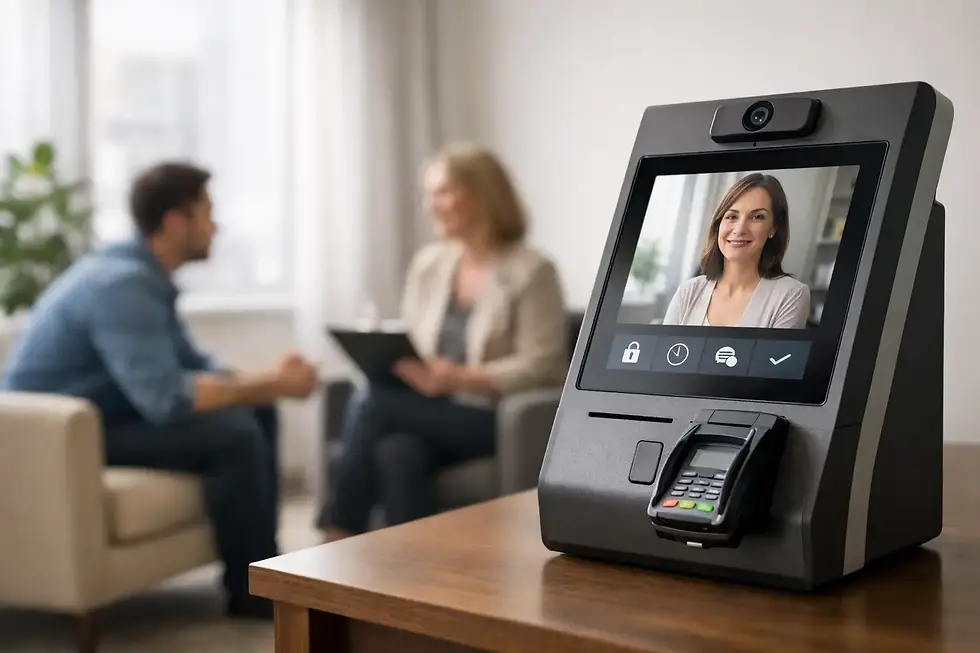
The knock at the door is rarely just a knock. It can pull your attention from a client sharing something difficult, create an awkward pause, and leave the arriving client wondering whether they should wait, announce themselves, or quietly sit in the hallway. A therapy office check-in kiosk gives both people a more respectful option: the client checks in privately, you receive a quiet notification, and the session in front of you keeps its focus.
For a small practice without a full-time receptionist, this is not about adding more technology to the office. It is about protecting the tone of your space. Clients should not have to interrupt care to let you know they have arrived, and you should not have to choose between acknowledging the next person and staying fully present with the person already in the room.
Why arrival moments matter in a therapy practice
Therapy is built on attention. Even brief disruptions can change the emotional rhythm of a session, especially when a client is processing grief, trauma, conflict, or a difficult realization. A door opening, a client calling your name, or the pressure of noticing someone waiting outside can divide your attention at exactly the wrong moment.
The arriving client has their own experience to manage. They may be early and unsure where to sit. They may worry that they have been forgotten. They may not want to announce their name in a shared suite or approach a closed therapy-room door. A calm arrival process communicates something meaningful before the session begins: you expected them, their privacy matters, and they do not need to compete for your attention.
A receptionist can solve some of these problems, but many solo therapists and small group practices do not need or want the cost, space, and formality of a staffed front desk. What they need is a simple bridge between the lobby and the clinician.
How a therapy office check-in kiosk works
The best workflow is intentionally small. Place an iPad in the waiting area with a clear check-in screen. When a client arrives, they enter the information you request, often just a name. The system then sends a text or email notification to the therapist or designated team member. You know the client is there without being verbally interrupted.
That is the entire purpose. Check in on an iPad, receive a discreet message, continue the session.
This approach is especially helpful in shared office buildings, where clients may otherwise wait in a hallway with no clear signal that they are in the right place. It also helps group practices coordinate arrivals when clinicians are in separate rooms and no one is assigned to watch the door.
The notification should support your work, not demand your attention. You can glance at it between sessions, at a natural transition point, or when you are ready to welcome the next client. The client receives the dignity of a clear next step, while the current session remains protected.
What to look for in a check-in system
A therapy check-in tool should feel appropriate for a care setting. Broad visitor-management platforms often include badges, security logs, employee directories, visitor categories, and complicated reporting. Those features may make sense in a corporate lobby. In a therapy office, they can make a small, personal practice feel more bureaucratic than welcoming.
Look first for simplicity. Clients should be able to understand the screen without instructions or an account. A clinician or office manager should be able to set it up quickly, change notification recipients easily, and trust it to work every day without creating another administrative task.
Privacy deserves equal attention. A public screen should ask for only the information necessary to signal an arrival. It should not expose a schedule, display other clients' names, or invite clients to share clinical details in the waiting area. If your practice handles protected health information through the system, confirm that the provider supports HIPAA compliance and has safeguards appropriate to your workflow.
Reliability matters, too. Consider the practical details of your actual office: the strength of your Wi-Fi, the placement and power source for the iPad, who receives notifications when a clinician is out, and what happens when two clients arrive close together. A simple system is not one that ignores these questions. It is one that answers them without turning your practice into an IT project.
The right amount of information
More fields do not necessarily create a better arrival experience. For many therapy practices, a first name and last initial, or a full name when appropriate, is enough to identify an arrival. Adding intake questions, payment prompts, or extensive forms to the lobby screen can slow clients down and make check-in feel transactional.
There are exceptions. A multidisciplinary wellness office may need clients to select a provider. A group practice may want a client to choose from a short list of clinicians. A practice with shared space may use a simple prompt to direct clients to the correct waiting area. The key is to keep the check-in task focused on arrival, not to turn it into a substitute for your client portal or intake process.
The same restraint applies to notifications. A message saying that a client has checked in is usually enough. The goal is awareness, not a stream of operational data during clinical hours.
Making the kiosk feel like part of your space
The iPad itself should not become the center of the lobby. Position it where clients can find it naturally, ideally near the entrance or seating area, without requiring them to walk past other people or peer into private spaces. A stable stand, a charged device, and a brief sign such as “Please check in when you arrive” are often all that is needed.
Use language that sounds like your practice. A warm welcome screen can be reassuring, but it does not need to be overly cheerful or wordy. For clients who arrive anxious or emotionally tired, clarity is a form of care. They should immediately understand what to do and what will happen next.
It also helps to decide how you will introduce the new process. A short note in appointment reminders can prevent uncertainty: when you arrive, please check in on the iPad in the waiting area. Existing clients adapt quickly when the instruction is simple. New clients often appreciate knowing they will not need to knock or interrupt.
When a kiosk is especially useful
A therapy office check-in kiosk is most valuable when arrivals currently create small but repeated strains. Perhaps your door opens directly into a shared waiting room. Perhaps you see back-to-back clients and cannot reliably check the hallway between sessions. Perhaps your office manager is only present part time. Or perhaps you work alone and want your office to feel organized without adding a receptionist role.
It can also support healthier boundaries. You are no longer expected to respond immediately to every arrival, and clients are no longer put in the uncomfortable position of deciding whether to disrupt a session. The system creates a gentle agreement: the practice has been notified, and the client can settle in.
Still, a kiosk is not the right answer for every setting. If a front desk is already staffed consistently and greets every client personally, an iPad may be unnecessary. If your clients need substantial mobility, language, or accessibility support, make sure there is an alternative way to check in. Technology should reduce friction, not create a new barrier.
Common questions from small practices
Will clients know how to use it?
Most will, particularly when the screen has one clear action and the iPad is placed visibly. The experience should take only a few seconds. For clients who prefer assistance or are not comfortable with a touchscreen, keep a simple backup option available, such as a discreet doorbell or a printed instruction for how to notify the office.
What if our Wi-Fi is unreliable?
Check the system's connectivity options before you commit. Some iPad setups can use cellular service, which may be helpful in offices with inconsistent building Wi-Fi. Whatever connection you use, test notifications from the actual lobby location before relying on the kiosk during a full day of appointments.
Does this replace clinical communication?
No. Check-in is only an arrival signal. It should not be used for clinical messages, urgent needs, or sensitive scheduling changes. Give clients a separate, clear method for those situations so the boundary between arrival logistics and care communication remains intact.
How much setup should it require?
For a small office, setup should be measured in minutes, not weeks. Purple Couch App, for example, is designed for an iPad-only check-in workflow and can be configured in under five minutes. A low-friction system lets you solve the interruption problem without taking time away from your practice.
A thoughtful check-in process will not make therapy feel automated. Done well, it does the opposite. It removes one of the small, recurring interruptions that can make an office feel uncertain, so clients can arrive quietly and you can keep giving your full attention where it belongs.


Comments