
Massage Therapy Check-In App for a Calmer Lobby
- karl50784
- Jul 25
- 6 min read
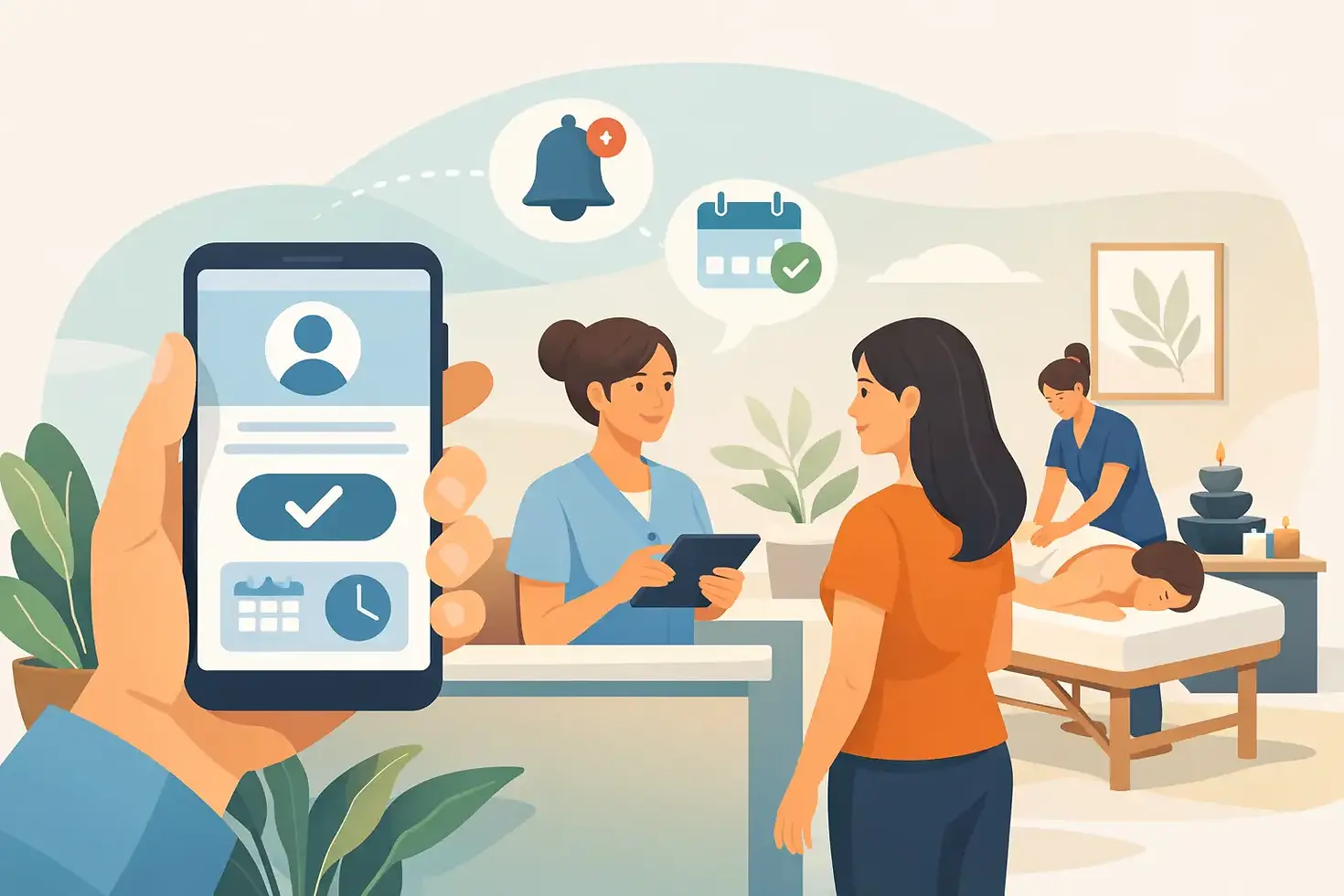
A client arrives five minutes early while you are working on someone’s shoulders, guiding their breath, or giving them the quiet they came for. They may knock, hover in the doorway, or wait in the hall wondering what they should do. A massage therapy check-in app changes that small but meaningful moment: the client checks in on an iPad, you receive a private notification, and the session already in progress keeps its calm.
For a massage practice, arrivals are not simply an administrative detail. They shape the tone of your space. The way a client enters, waits, and is welcomed can either reinforce a sense of care or introduce uncertainty before their appointment even begins.
Why arrivals can interrupt the massage experience
Massage therapy asks clients to slow down. Many arrive carrying tension from traffic, work, pain, caregiving, or a packed schedule. A reception process that feels unclear can add one more layer of friction right at the door.
The same is true for the client already on your table. Stepping out to see who has arrived, answering a knock, or listening for the front door pulls your attention away from the person who is trusting you with their care. Even a brief interruption can change the rhythm of a session.
Solo massage therapists and small teams often handle this with good intentions and imperfect workarounds. A sign on the door may ask clients to wait. A chime might alert you to an arrival. Some practitioners check the hallway between appointments, while others ask clients to text when they get there. Each approach can work sometimes, but each still leaves room for awkward waiting moments, missed messages, or interruptions at the wrong time.
A dedicated check-in process offers a more considerate boundary. It tells arriving clients, without requiring explanation, that they have been noticed and that their appointment matters.
What a massage therapy check-in app should do
The right tool does not need to turn your practice into a front desk operation. It should do one simple job well: let a client announce their arrival without disturbing the room.
The workflow should feel natural. An iPad sits in the lobby or entry area with a clear check-in screen. The client enters their name or makes a simple selection. You receive a text or email notification that they have arrived. You can finish the session in front of you, then greet the next client when you are ready.
That is the value of a massage therapy check-in app. It creates a reliable signal of presence without asking clients to guess whether they should knock or text. It also lets you stay focused without feeling like you have ignored someone waiting nearby.
For massage practices, simplicity matters more than a long feature list. You may not need visitor badges, complicated intake workflows, or a dashboard full of analytics. You need an arrival experience that feels professional, private, and easy for every client to use.
A better arrival process in three quiet steps
First, place an iPad where clients can easily see it as they enter. The screen should make the next action obvious, especially for first-time visitors. No one should need an account, an app download, or instructions from a staff member.
Second, the client checks in. This is a small action, but it replaces the uncomfortable question of whether they should interrupt you. For a client who is already feeling vulnerable about pain, stress, or body image, a clear process can make the space feel more welcoming.
Third, you receive a private alert by text or email. You do not have to monitor the lobby, keep your phone visible for client messages, or repeatedly listen for the door. You simply know that someone has arrived.
This approach is especially useful when appointment times are close together. If a client arrives early, you can keep your current session intact. If they arrive right on time, you know they are there without stepping away. If a client is late, you have a clearer view of the day without turning arrival monitoring into another task.
The client experience matters as much as the notification
It is easy to frame check-in as a convenience for the practitioner. It is that, but the client benefit is just as real.
A client who walks into an unfamiliar massage office may not know whether to sit, knock, call, or wait outside. They may worry they have arrived too early, that they are in the wrong place, or that they are bothering you. A simple iPad check-in gives them a clear answer: you are in the right place, and your arrival has been received.
For regular clients, that consistency becomes part of the experience. They know what to do when they arrive. You do not need to repeat directions. The space feels organized without feeling clinical or impersonal.
There is a trade-off worth acknowledging. A check-in app is not a substitute for a receptionist in a high-volume clinic with frequent walk-ins, complex insurance needs, or several providers sharing a busy front desk. But for a solo practitioner or a small massage team with scheduled appointments, a lightweight system can be a better fit than staffing a desk or adopting oversized office software.
Privacy belongs in the waiting area too
Massage therapy is personal work. Clients may be coming in for chronic pain, injury recovery, pregnancy support, stress relief, or a difficult season of life. Their arrival should not require them to announce themselves to a room full of people or share more information than necessary.
A check-in screen can keep the interaction brief and discreet. The client is not required to explain why they are there, and you are not forced to call out questions from behind a closed treatment-room door. That quiet privacy supports the professionalism clients expect from a care-centered practice.
If your massage business shares a suite with counselors, acupuncturists, medical providers, or other wellness professionals, privacy becomes even more important. The arrival process should fit the environment without exposing client information or creating confusion about who is waiting for whom.
When choosing a check-in tool, consider how it handles client information, notifications, and device access. A platform designed with HIPAA compliance in mind is a sensible choice when your work involves protected health information. You should also decide what level of identifying information is actually needed for an arrival alert. Often, less is more.
Set it up without creating another project
A good check-in system should not take a weekend to configure. For most massage practices, setup can be as simple as choosing the iPad location, adding the names clients will recognize, selecting text or email alerts, and testing the experience from the client’s point of view.
Before your first day using it, stand outside your own door and walk through the arrival process. Is the iPad visible? Does the message on screen sound like you? Is there a chair nearby for clients who arrive early? Do you receive the alert quickly enough to be useful?
A short sign can help during the transition: “Please check in on the iPad. Your therapist will be with you shortly.” It is clear, warm, and removes pressure from the client. After a few visits, most people will use the process without thinking twice.
Purple Couch App is built around this kind of simple, iPad-based arrival flow for practices that need a calm alternative to a traditional front desk. It can be set up quickly and sends arrival notifications by text or email, so your attention stays where it belongs.
Questions massage therapists often ask
Will clients know how to use it?
Most will, as long as the screen is clear and the iPad is placed where they naturally enter. The best check-in experience asks very little of the client. It should take moments, not instructions.
What if my office Wi-Fi is unreliable?
Check the connectivity options before choosing a platform. Some iPad setups can use cellular service, which may be a practical backup for offices with inconsistent Wi-Fi. The point is reliability: an arrival notification only helps if it reaches you when a client needs it to.
Do I need a separate app on my phone?
Not necessarily. Text or email notifications can be enough for many practitioners, particularly if you already use those channels during the day. The less you have to manage, the more likely the process will support your routine rather than compete with it.
Does this make my practice feel less personal?
It depends on how you introduce it. A cold or confusing screen can feel transactional. A simple welcome message, a comfortable place to wait, and a consistent greeting when you come out can make check-in feel like a thoughtful part of your care. Technology should handle the interruption, not replace the human welcome.
Your treatment room is where hands-on care happens, but the experience begins before a client reaches the table. Give them a clear, quiet way to arrive, and give yourself permission to remain fully present with the person in front of you.


Comments