

HIPAA Compliant Client Arrival Workflow That Feels Calm
- karl50784
- Aug 7
- 6 min read
A client arrives five minutes early while you are in the middle of a session. They hesitate at the door, not sure whether to knock. You hear movement in the hallway and have to decide whether to interrupt the person in front of you, let the new client wait uncertainly, or step out to check. None of those choices supports the tone you work hard to create.
A HIPAA compliant client arrival workflow gives clients a clear way to announce themselves without asking you to split your attention. It protects privacy at the moment it is easiest to overlook: when someone first walks into your space. More than a front-desk task, it is a small system for preserving presence.
Why arrivals deserve more attention
For a small practice without a full-time receptionist, arrivals can become a quiet source of stress. A therapist may hear a client enter during a sensitive conversation. An acupuncturist may be with both hands occupied. A physician may be finishing notes. A salon professional may be in the middle of a service where stepping away is not realistic.
Clients feel the uncertainty, too. When there is no one at a desk, they may wonder if they are in the right place, whether they should knock, or whether they have somehow been forgotten. Some will open a treatment-room door. Others will call or text a personal number. Neither response is ideal for them or for the person currently receiving care.
The goal is not to make a small office operate like a large organization. It is to create one calm, repeatable arrival moment: the client checks in, the right person is notified, and the session already in progress stays private and uninterrupted.
What HIPAA compliance means at the door
HIPAA compliance is not a label you add after choosing a check-in tool. It is a set of practical decisions about how protected health information is handled, viewed, transmitted, and stored.
An arrival can reveal more than it seems. A name connected to a particular provider, office, or appointment may be protected health information depending on the context. A sign-in sheet left on a counter can expose one client's name to the next. A shared tablet displaying a previous client's details creates the same problem in a different form.
For small practices, a privacy-conscious workflow usually starts with restraint. Ask only for what is necessary to identify that a person has arrived. Avoid displaying appointment details, reasons for visits, provider schedules, or a visible list of other clients. Keep the check-in screen simple enough that the next person cannot see who used it before them.
The notification matters as well. A text or email should tell you what you need to know without adding unnecessary clinical detail. “Jordan has arrived” is very different from a message that includes appointment type, treatment information, or a detailed note. Minimum necessary information is not just a compliance concept. It is a respectful way to communicate.
Your technology provider also matters. If a vendor creates, receives, maintains, or transmits protected health information on your behalf, evaluate whether a business associate agreement is needed and whether the service is designed to support HIPAA requirements. Your own policies still matter, including how you secure the iPad, who can access notifications, and what happens when staff members leave.
HIPAA requirements can depend on your practice and the information involved, so it is wise to confirm your approach with your privacy or legal advisor. But the day-to-day principle is straightforward: collect less, show less, and make arrival information available only to the people who need it.
A calm client arrival workflow in three moments
The best workflow does not ask clients to learn a new process or staff to monitor another dashboard. It should feel obvious when someone walks in for the first time.
1. Offer one clear check-in point
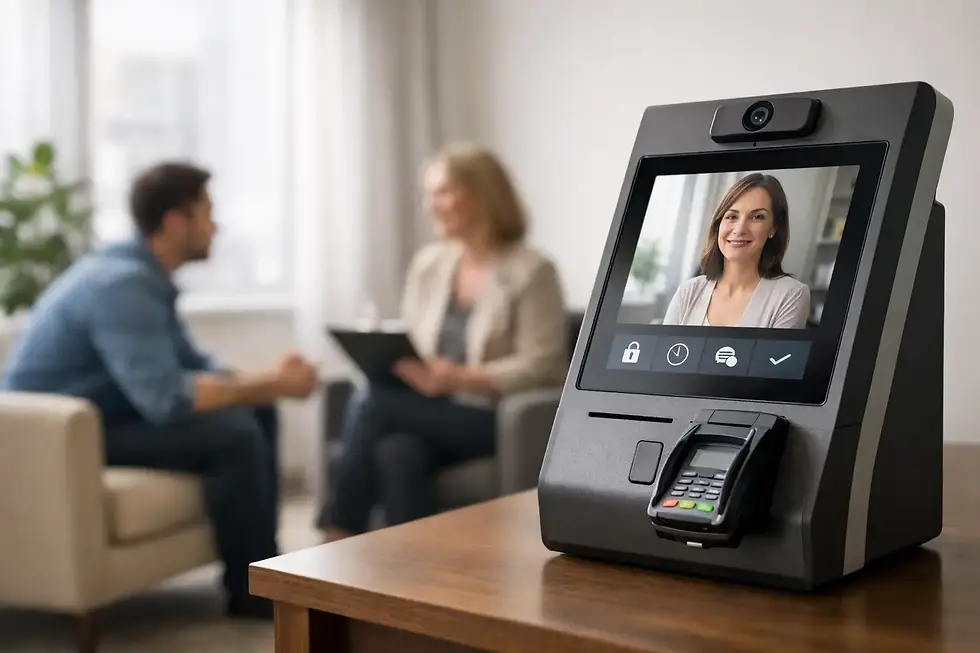
Place an iPad where clients naturally enter or wait. The screen should greet them with a simple instruction to check in, rather than a crowded form, a visible calendar, or a long list of choices. Clear signage can help, especially in a shared building where clients may already feel unsure about which door to use.
Keep the physical setup thoughtful. Position the iPad so a person can check in without standing shoulder to shoulder with someone else. If your lobby is visible from a hallway, consider the screen angle and brightness. Privacy includes the room around the technology, not only the software on it.
For many appointment-based practices, the client only needs to provide a name or use a simple identifying step. If your workflow needs more information, ask whether it is truly necessary at arrival or whether it can be collected privately at another time.
2. Send a private, useful notification
Once the client checks in, the practitioner or appropriate team member receives a text or email alert. That alert replaces the knock on the door, the hallway call-out, and the need to repeatedly glance toward the lobby.
The message should be timely and limited to the information needed to act. In a solo therapy practice, that may mean knowing that the next client has arrived while you finish the final minutes of a session. In a wellness studio, it may mean the person preparing the room receives the alert while another provider continues a treatment.
Choose notification settings carefully. A sound or vibration might be useful in one environment and disruptive in another. You may prefer a discreet smartwatch vibration, a silent banner on a phone, or an email alert on a device you check between appointments. The right setting is the one that keeps you informed without pulling you away from the client in front of you.
3. Let the current session remain whole
A notification is not a demand to respond immediately. It is simply the reassurance that the arriving client has been acknowledged and that you know they are there.
That distinction changes the feeling of the room. You can finish a grounding exercise, complete a conversation, wrap up instructions, or walk a client out without the pressure of wondering who may be waiting. The next client has completed a clear action and is less likely to knock or search for someone.
This is where a simple check-in process earns its place. It protects the boundary between appointments without making anyone feel ignored.
Design the workflow around your actual space
There is no single arrival setup that fits every practice. A solo counselor in a one-room suite has different needs than a three-provider wellness office, and a salon may need a different level of greeting than a medical practice. The core experience can remain consistent while the details change.
If you share a lobby, clients may need especially clear instructions about which iPad to use and where to wait. If you work in a quiet setting, notification sounds may need to stay off. If your office has inconsistent Wi-Fi, choose a setup that can maintain connectivity through cellular service or plan for a simple backup process.
It is also worth deciding what happens when you are running late. A check-in tool confirms arrival, but it does not replace human communication. If a delay extends beyond a few minutes, a brief, considerate update can preserve trust. The workflow should reduce awkward waiting moments, not make clients feel invisible behind a screen.
Avoid the privacy gaps that appear in ordinary routines
Many privacy issues come from familiar habits rather than bad intentions. A clipboard sign-in sheet, a receptionist calling out a name, or an unlocked tablet can all expose more than necessary.
Review the arrival experience from a client's point of view. Can they see another client's name? Can they read notifications on a shared phone? Does the iPad return to a neutral screen after each check-in? Is it protected with a passcode and limited to the app needed for arrivals? Are text previews hidden on the device that receives alerts?
For a small team, write down who receives notifications and when. If two practitioners share coverage, make sure the alert reaches the person responsible that day. If a team member uses a personal device, establish expectations for screen locks, notification previews, and access when their role changes. These are ordinary operational details, but they carry real weight when client privacy is involved.
A purpose-built tool such as Purple Couch App can keep this process intentionally simple: clients check in on an iPad, you receive a text or email, and you stay with the person you are serving. The value is not more administration. It is fewer interruptions and a more respectful first moment.
The arrival experience is part of care
Clients often form an impression before you say hello. They notice whether they know what to do, whether the space feels organized, and whether their privacy seems protected. A calm check-in process tells them that their time matters without asking you to abandon the person already in your care.
Start small: walk through your own front door as if you were a new client. Notice the points where you might hesitate, what information is visible, and how long you would wait without reassurance. A thoughtful arrival workflow can quietly change the whole rhythm of the day, leaving more room for the focused, human work your clients came for.


Comments