

Free Trial Check-In Software for Calmer Arrivals
- karl50784
- Jul 30
- 5 min read
A client arrives five minutes early while you are in the middle of a session. They hesitate in the hallway, knock softly, or sit wondering whether anyone knows they are there. You notice the movement, lose your train of thought, and split your attention between the person in front of you and the person who has just arrived.
Free trial check-in software gives small, appointment-based offices a simple way to remove that moment. It is not about adding another complicated system to your day. It is about giving arriving clients a clear, private way to say, “I’m here,” while you stay fully present with the client you are serving.
For therapists, wellness providers, physicians, salon professionals, and studio owners, a trial is a useful chance to see whether a check-in tool actually improves the tone of the space. The right one should feel quiet and natural from the first day, not like a new administrative project.
What Free Trial Check-In Software Should Solve
A free trial is most valuable when it lets you test the real problem: arrival interruptions. A client check-in system should help you avoid opening a door mid-session, repeatedly checking a waiting room, or asking clients to announce themselves to someone they may not know.
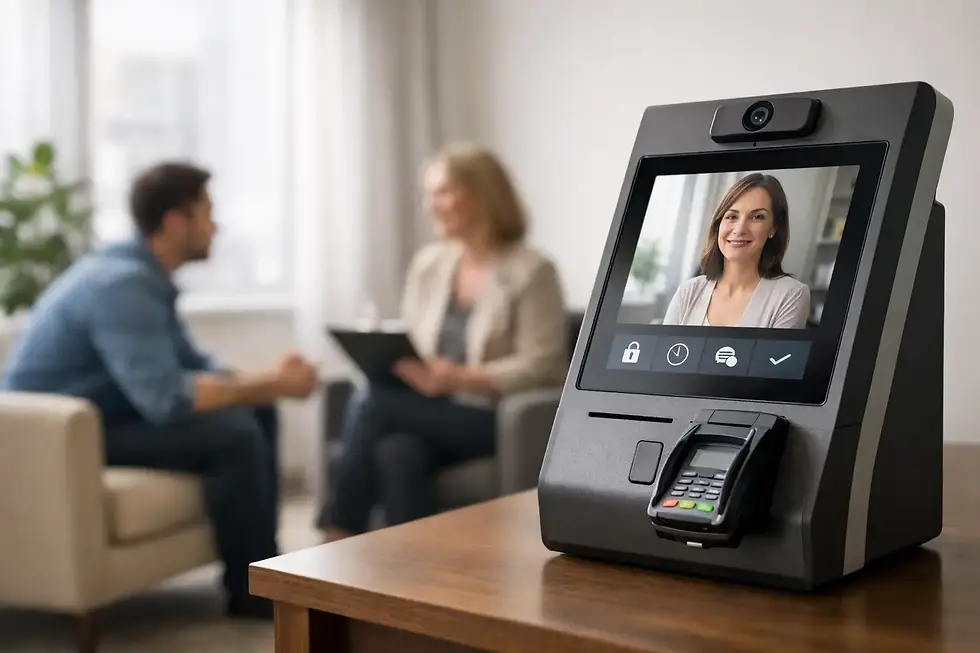
The best experience is usually the simplest. A client walks in, sees an iPad, enters their name or taps a clear check-in prompt, and you receive a text or email notification. They know they have been acknowledged. You know they have arrived. The session already in progress continues without an unnecessary break.
That small exchange can change more than scheduling logistics. In a therapy office, it can protect a sensitive conversation. In a treatment room, it can preserve the calm a client came for. In a salon or studio, it can make the business feel attentive without requiring someone to stand at a desk all day.
Broad visitor-management platforms are often built for offices with security desks, contractors, visitor badges, and large teams. Those tools may be appropriate for a corporate lobby, but they can feel overly formal in a small care-centered practice. If your goal is simply to know when a scheduled client has arrived, extra layers can create more work than reassurance.
Why a Trial Matters Before You Commit
Every office has its own arrival rhythm. Some clients come early and wait quietly. Others arrive right on time, often while you are still wrapping up with someone else. Some practices share a hallway or building entrance, which makes it even harder to tell who is waiting without stepping away.
A trial lets you observe the difference in your own environment. Put the iPad where clients naturally enter. Use it for a week of normal appointments. Notice whether clients understand what to do without explanation, whether notifications arrive in the way you prefer, and whether you stop checking for arrivals out of habit.
This is also the time to assess the emotional fit. Does the screen look welcoming? Does the process protect privacy? Does it make clients feel received rather than processed? Those questions matter, especially when your work depends on trust and personal attention.
A good trial should not require a long implementation period before you can answer them. If setup takes weeks, demands IT support, or asks you to redesign your front desk, the trial may be testing your patience more than the product.
Look for a clear, client-friendly check-in
Clients should not need an account, a download, or a tutorial to check in. A shared iPad with one obvious action is usually enough. The arrival process should work for a first-time client who is nervous, running late, or unfamiliar with your office.
Keep the language on the screen plain and warm. “Check in” or “Let us know you’re here” is easier to understand than a string of formal instructions. The goal is to replace uncertainty with a small moment of confidence.
Test notifications where you actually work
A check-in notification only helps if you receive it while you are in session. During your trial, test text and email alerts in the rooms where you meet clients. Consider whether you prefer a discreet vibration, a notification on a smartwatch, or an email that you can see between appointments.
It is worth thinking about boundaries here. You do not have to respond to every arrival immediately. The notification is simply awareness. It gives you the option to greet the next client when your current session has reached a natural stopping point, without asking the current client to wait while you investigate a knock at the door.
Confirm the privacy standard matches your practice
For health and wellness offices, privacy is not a feature to treat casually. A check-in process should avoid displaying a roster of names or creating an easy way for one client to learn who else is in the office. If your practice handles protected health information, choose software designed with HIPAA compliance in mind.
Privacy also includes the feeling of the room. Clients should not have to speak their name loudly through a closed door or explain why they are there in a shared lobby. A quiet iPad check-in can be a more respectful alternative.
A Simple Way to Run the Trial
Use the trial during regular business hours rather than saving it for a slow week. You want to see how it performs when appointments overlap, when someone arrives early, and when you are fully engaged with another person.
Start by placing an iPad at the entrance or in the waiting area. Keep the screen visible, charged, and easy to reach. Then choose the notification method that best fits your workday and invite each arriving client to use the check-in screen.
For the first few days, you may want to give a brief reminder: “When you arrive next time, you can check in on the iPad and I’ll be notified.” Most clients quickly understand the routine. After that, pay attention to what changes. Are fewer people knocking? Are you less distracted? Does the waiting area feel more settled?
Do not judge the trial only by the number of features you see. A useful check-in tool may do very little by design. The value is in what it removes: the awkward waiting moment, the hallway interruption, the need to keep one ear tuned to the front door.
Questions Small Practices Often Have
Can this replace a receptionist?
For many solo practices and small teams, it can cover one specific receptionist task very well: acknowledging arrivals and alerting the right person. It does not replace every role a full-time receptionist might perform, such as answering phones, handling complex scheduling, or processing paperwork. But if arrivals are your main gap, a focused check-in system can be a much more practical fit.
What if the office Wi-Fi is unreliable?
Check whether the software can work with a cellular-enabled iPad. This can be helpful in suites with inconsistent internet service or in offices where the guest network is not dependable. During a trial, test the connection at the actual location where the iPad will live.
Will clients use it?
Most will, when the experience is clear and uncluttered. Clients are already accustomed to simple touchscreens in many everyday settings. The difference here is that the check-in should feel personal and respectful, not like a kiosk at a large institution.
How much setup should it take?
For a small office, setup should be measured in minutes, not meetings. Purple Couch App, for example, is designed for an iPad-only workflow and can be set up in under five minutes. A 30-day trial gives you enough time to test it with real appointments without rushing into a contract.
Choose Calm Over Complexity
The right check-in software will not become the center of your practice. It will fade into the background, where good support tools belong. Clients arrive, check in, and settle. You receive a quiet notification. Your focus stays with the person who has your attention right now.
That is the real test of a free trial: not whether the software gives you more to manage, but whether it gives your space a little more room for presence.


Comments