

Client Check-In App for Small Offices That Care
- karl50784
- Jul 18
- 6 min read
A client arrives a few minutes early, opens the door quietly, and looks around for someone to tell. You are in the middle of a session, treatment, consultation, or service. They do not want to interrupt. You do not want them to wonder whether they are in the right place. A client check-in app for small offices solves this small but meaningful moment without turning your space into a front desk operation.
For appointment-based practices, arrival is part of the experience. It sets the tone before the appointment even begins. When clients are left hovering in a hallway, knocking softly, or texting repeatedly to announce themselves, the moment can feel awkward for them and disruptive for you. The right check-in process offers a quiet signal: I’m here, you know, and I can settle in.
Why arrivals can interrupt more than a schedule
Small offices often run on personal attention. A therapist may be holding space for a difficult conversation. An acupuncturist may be completing a treatment. A stylist may have both hands occupied. A studio owner may be teaching a class while the next client comes through the door.
In each case, answering an arrival is not simply a quick administrative task. It asks you to split your attention between the person in front of you and the person who has just entered. Even a brief interruption can change the emotional tone of a session or make a client feel rushed at the end of their appointment.
The arriving client carries a burden, too. Without a clear way to check in, they have to decide whether to knock, call, wait, or walk farther into a private space. For a counseling practice, medical office, or wellness provider, that uncertainty can feel especially uncomfortable. Clients may worry about being overheard, entering at the wrong time, or inconveniencing someone.
A thoughtful check-in process removes that decision. It lets clients arrive independently while giving practitioners the information they need, quietly and right away.
What a client check-in app for small offices should do
The best tool for a small practice does not need to recreate airport-style visitor management. It should do one job well: let a client announce their arrival privately, then notify the right person without requiring a conversation across the room.
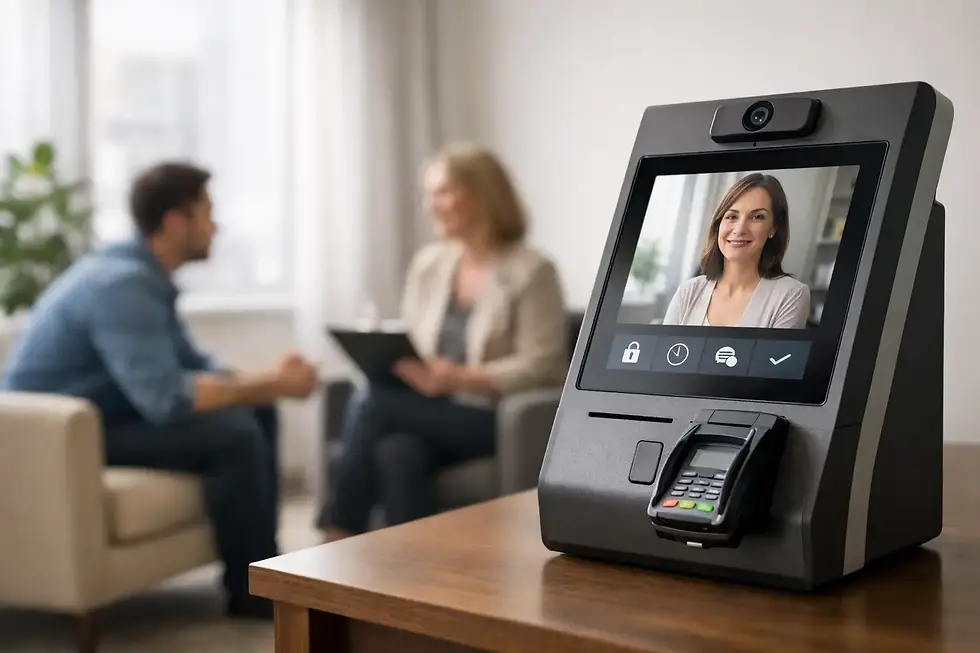
For most offices, the flow should feel almost invisible. A client enters their name on an iPad in the lobby or waiting area. The practitioner receives a text or email notification. The practitioner finishes what they are doing, then welcomes the client when the moment is right.
That simplicity matters. A complicated intake workflow, badges, visitor logs, or multiple screens may fit a large corporate office. In a one- or two-provider space, those features can create more friction than they remove. Your clients should not need instructions to say, “I’m here.”
A simple check-in app also supports better boundaries. You do not have to leave a session to see who entered. You do not have to ask current clients to wait while you respond to a knock. And you do not need to keep checking the waiting room or your phone because you are worried someone may have arrived unnoticed.
The experience clients remember
Clients rarely describe a great appointment by saying that the arrival process was efficient. But they notice when it feels uncertain, exposed, or impersonal.
Consider the difference between a client standing outside a closed office door and a client who walks in, sees a clear check-in screen, and knows exactly what to do. The second experience communicates care before anyone says a word. It tells them the office anticipated their arrival and made room for it.
This is particularly valuable for practices where privacy and comfort are part of the service itself. Someone arriving for therapy may already feel vulnerable. A patient at a medical or wellness appointment may not want to announce their name aloud. A salon guest or studio client may simply appreciate not having to interrupt a service in progress.
A lobby iPad keeps the interaction calm and self-directed. The client checks in, then takes a seat. You receive the notification without breaking focus. Everything just flows better.
Choosing a check-in tool without adding more work
Small-office owners have good reason to be cautious about new software. Another monthly subscription is only worthwhile if it makes the day easier quickly. When evaluating options, look past feature lists and ask whether the tool protects the way you already work.
First, consider setup. If you need technical support, a complex account structure, or hours of configuration, it may not be a good fit for a lean office. A check-in tool should be ready to use in minutes, with a straightforward screen clients can understand on their own.
Next, think about notifications. Text and email alerts give you flexibility. A text may be useful when you are moving between rooms or working away from your desk. Email may suit providers who prefer to manage office communications in one place. What matters is that the notification reaches you promptly and does not require the client to chase you down.
Privacy deserves equal attention. If you work in a healthcare setting or handle sensitive client information, choose a service designed to respect that responsibility. For HIPAA-covered practices, HIPAA compliance should be a clear requirement, not a vague promise hidden behind general security language.
Finally, keep the client side simple. An iPad-based experience works well because it is familiar, stable, and easy to place in a reception area without adding a computer, keyboard, or extra furniture. If your office has unreliable Wi-Fi, cellular connectivity can also make a meaningful difference. The check-in process should not disappear because the building’s internet is having a bad day.
A simple three-step arrival routine
The most useful check-in routine is easy enough that you and your clients stop thinking about it.
1. Place the iPad where clients naturally pause
Choose a visible spot near the entrance, waiting area, or reception counter. A small sign can help new clients understand that they should check in upon arrival, but the screen itself should make the next step obvious.
2. Let the client check in privately
The client enters their name without needing to knock, call, or explain why they are there. This is more than convenience. It gives them a clear, dignified way to arrive, particularly in shared office buildings where several practitioners work nearby.
3. Receive the notification and stay present
When the alert arrives, you know the client is waiting. You can finish your current conversation, service, or treatment without rushing. Then you can greet the next person with your full attention rather than with an apology for the interruption.
That is the value of a good system: not more administration, but fewer awkward choices for everyone involved.
When a check-in app is the right fit
A dedicated check-in app is especially helpful when you work alone, share an office suite, see back-to-back appointments, or want to avoid a full-time receptionist. It can also be useful for a small team where each provider needs to know when their own client arrives.
It may be less necessary if someone is consistently stationed at a front desk and personally greets every visitor. Even then, a digital option can be useful during breaks, busy periods, or when the receptionist steps away. The right choice depends on whether arrivals regularly pull attention away from the work that matters most.
Purple Couch App is designed around this exact need: a simple iPad check-in, an immediate text or email, and a quieter arrival experience for small client-centered offices. It is not trying to run every part of your business. It is there to protect the moment when one client is arriving and another still deserves your full presence.
Give the waiting room a clearer purpose
A waiting area should not be a place where clients wonder what they are supposed to do next. It can be a brief transition - a calm pause before the appointment begins.
When arrivals are handled with clarity, you no longer have to choose between being responsive to the next client and attentive to the current one. Your clients do not have to interrupt to be noticed. They can simply arrive, check in, and feel that there is a place for them in the rhythm of your day.


Comments