

Best Therapy Check-In Apps for Calm Practices
- karl50784
- Aug 3
- 6 min read
A client opens the door halfway through a session. You hear it, your current client hears it, and the person arriving is left wondering whether they should knock, wait, or announce themselves. The best therapy check-in apps solve that small but meaningful moment without turning your practice into a front desk operation.
For a therapy practice, check-in is not only an administrative task. It sets the tone before a client ever sits down. A good system gives arriving clients a clear, private next step while letting you stay fully present with the person already in the room.
What Makes a Therapy Check-In App Worth Using?
The right app should make arrival feel easy for clients and almost invisible for you. That means a client can check in independently, you receive a quiet notification, and the session in front of you continues without interruption.
Many offices start with a handwritten sign, a doorbell, or a text message asking clients to announce their arrival. Each can work in a pinch, but each asks someone to manage the moment. A sign can leave people uncertain. A doorbell can interrupt a vulnerable conversation. A personal text can expose your phone number or create another task to monitor between appointments.
A dedicated check-in app gives that moment a simple structure. It should be designed for a waiting room, not for visitor badges, building access, or corporate reporting. The difference matters. Therapy clients generally do not need to scan IDs, select a host from a long directory, or work through a series of intake questions at the door. They need reassurance that they are in the right place and that their therapist knows they have arrived.
The essentials to look for
First, look for a client-facing iPad experience that is clear at a glance. The screen should feel welcoming, use plain language, and require very little explanation. If clients have to download an app, create an account, or troubleshoot their arrival, the process adds stress instead of removing it.
Next, consider how you receive notifications. Text and email alerts are often the most practical options for solo practitioners and small teams. You should be able to know a client is waiting without stepping into the hallway, keeping a browser window open, or relying on someone at a desk to relay the message.
Privacy belongs on the list, too. A check-in tool for a therapy setting should support HIPAA-compliant workflows and avoid displaying sensitive information to other people in the waiting area. The goal is not simply to collect a name. It is to acknowledge an arrival with appropriate discretion.
Finally, pay attention to setup and daily maintenance. A system can have every feature imaginable and still be a poor fit if it needs constant updates, complicated staff training, or an IT project to get started. Small practices usually need something that works in minutes, not weeks.
Comparing the Best Therapy Check-In Apps by Approach
There is no single best choice for every practice. The most useful option depends on whether you need a focused arrival tool or a broader office-management system. Here are the common approaches and the trade-offs behind them.
Dedicated iPad check-in apps
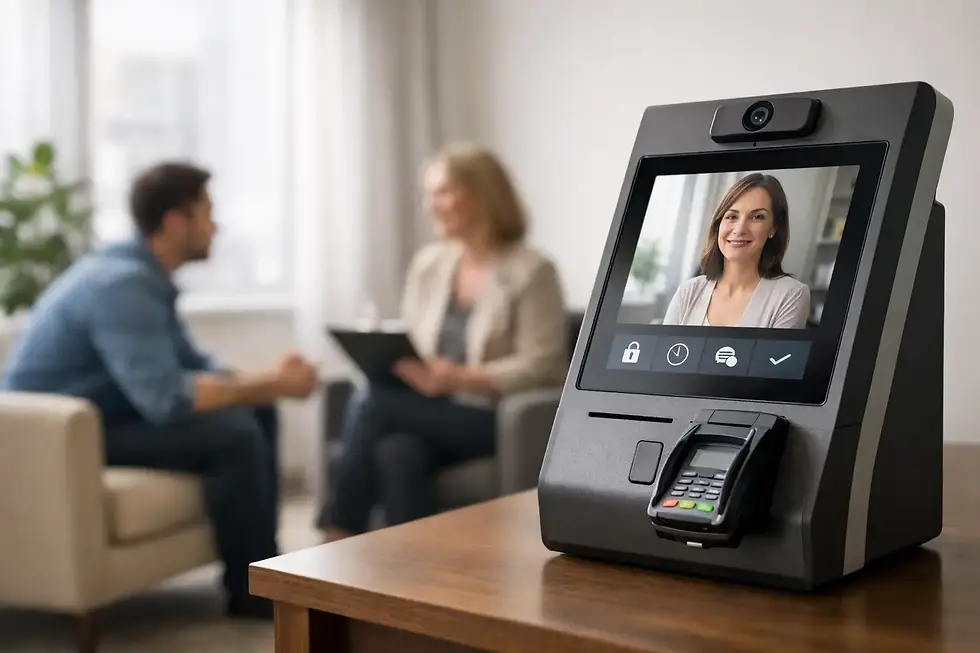
A dedicated iPad check-in app is built around one job: helping clients announce their arrival and alerting the practitioner. For therapists who work without a full-time receptionist, this is often the most natural fit.
The advantage is simplicity. A single iPad in the lobby gives clients a consistent place to check in, while you receive a text or email notification wherever you are in the office. There is little for clients to learn and little for you to manage. It also creates a calmer alternative to knocking on your door or walking into an active session.
Purple Couch App is an example of this focused approach. It is designed for small, appointment-driven spaces, with an iPad-only check-in flow, HIPAA compliance, and alerts that let practitioners continue the session at hand. Its value is not a long list of office controls. It is protecting presence when someone new arrives.
The trade-off is that a dedicated app will not replace your scheduling platform, electronic health record, billing system, or intake process. That is usually a strength when you already have tools you like and only need to solve the arrival interruption.
Practice management platforms with check-in features
Some therapy practice management platforms include client portals, appointment reminders, forms, billing, telehealth, and occasionally check-in tools. This can be convenient if you want fewer vendors and prefer all client administration under one account.
Still, an included feature is not always a well-designed front-door experience. Some systems ask clients to sign into a portal, use a mobile device, or complete steps that make sense for administrative tracking but feel awkward in a quiet waiting room. Others notify staff only inside the platform, which can be easy to miss while you are with a client.
This route makes sense when your practice is already deeply committed to one system and its check-in flow is genuinely simple. Before deciding, test it from the client’s perspective. Stand in your lobby, imagine arriving five minutes early, and ask whether the next step is obvious without anyone needing to explain it.
General visitor management software
Visitor management tools are often made for office buildings, schools, and larger organizations. They may offer badge printing, visitor logs, document signing, security screening, and host directories.
Those features can be appropriate in high-traffic facilities. In a private therapy office, however, they can feel too formal or exposed. A client seeking counseling may not want to enter personal details on a screen that resembles a corporate reception desk. A lengthy check-in also makes a simple arrival feel more public than it needs to be.
If your building has security requirements, a general visitor platform may be necessary. But for most independent practices, it is worth asking whether all that functionality improves the client experience or simply adds friction.
Shared messaging and manual workarounds
Some small teams use a shared phone, a group text, a door sensor, or a clipboard to manage arrivals. These options cost little at first and can be useful in temporary spaces.
The problem is consistency. Clients may not know whom to contact. Notifications can get buried among personal messages. A clipboard can make names visible to others, and a door sensor tells you someone entered but not whether that person is your 2:00 appointment, a delivery driver, or a client arriving for another provider.
Manual workarounds are often signs that the practice has outgrown an informal process. If arrivals regularly pull your attention away from care, a purpose-built check-in system can be a modest change with an outsized effect on the day.
Questions to Ask Before You Choose
Start with the physical reality of your space. Do clients enter a shared suite, a hallway, or a private waiting room? Do you see clients one at a time, or do several practitioners share a lobby? The best setup should fit naturally into that environment rather than asking you to rearrange the way you work.
Then think about connectivity. If your lobby Wi-Fi is inconsistent, ask whether the app can work through a cellular-enabled iPad. A check-in tool is only reassuring when it is dependable on an ordinary busy Tuesday, not just during a quiet setup test.
It also helps to be honest about who will use it. Your clients may include people who are nervous, distracted, in pain, running late, or unfamiliar with technology. A good check-in screen respects that reality. It should be easy enough that a first-time client can use it without feeling watched or confused.
For group practices, clarify how notifications are routed. Each practitioner should receive the right alert without exposing another provider’s client information. For solo practices, the question is even simpler: can you receive the alert discreetly and keep your phone from becoming another source of interruption?
A Better Arrival Experience Is a Care Decision
The best therapy check-in apps are not necessarily the ones with the most dashboards or the longest feature list. They are the ones that remove uncertainty at the door and protect the attention inside the room.
When a client can check in quietly, they do not have to wonder whether they are interrupting you. When you receive a clear alert, you do not have to split your focus or rely on hallway noise. The office feels more settled for everyone involved.
Choose the system that makes arrival feel considered, private, and uncomplicated. That small moment of calm can carry into the conversation that follows.


Comments